
Chakra UI vs Tailwind CSS: they're not the same layer

Tien Nguyen
· 7 min read
Here’s the thing that makes most “Chakra UI vs Tailwind CSS” comparisons slightly off before they start: they’re not the same kind of tool. Chakra UI is a React component library. Tailwind CSS is a styling method. Comparing them directly is like comparing IKEA (furniture, assembled) to a hardware store (materials, you build it).
That distinction is the whole decision. So the honest answer up front: for most new work in 2026, reach for Tailwind plus a headless component library (shadcn/ui on Radix). Reach for Chakra when you want accessible, styled components immediately, with the least wiring. For context: I ship production frontends on Tailwind, including this site, which runs on Tailwind v4. I’ve evaluated the component-library approach (Chakra, and heavier ones like Material UI and Ant Design) closely, so treat the Tailwind take as lived-in and the Chakra take as informed.
 vs
vs
Aren’t Chakra UI and Tailwind the same kind of thing?
No, and seeing the gap is most of the value here. Chakra UI ships components. You import a Button, a Dialog, a Menu, and they come styled, themeable, and accessible. Tailwind ships utility classes. You get px-4, bg-blue-500, rounded, and you assemble your own components out of plain HTML.
For a plain button, the difference looks trivial: a Tailwind button is a few utility classes, a Chakra button is one configured component. But a button is where the two look most alike. The real gap opens the moment a component needs behavior, not just paint. That hidden work is the actual difference, and it matters most where you can’t see it: accessibility.
What about accessibility?
This is the part the surface-level comparisons skip, and it’s the sharpest line between the two.
Chakra’s components ship accessibility built in: ARIA attributes, focus management, keyboard interaction. This dialog traps focus, closes on Escape, and announces itself to screen readers, with no a11y wiring from you:
<Dialog.Root> <Dialog.Trigger asChild> <Button>Delete</Button> </Dialog.Trigger> <Portal> <Dialog.Backdrop /> <Dialog.Positioner> <Dialog.Content> <Dialog.Header> <Dialog.Title>Delete this item?</Dialog.Title> </Dialog.Header> <Dialog.Body>This can't be undone.</Dialog.Body> <Dialog.CloseTrigger /> </Dialog.Content> </Dialog.Positioner> </Portal></Dialog.Root>Raw Tailwind ships none of that. A <div> with utility classes is a styled <div>, full stop. Tailwind has no idea what a modal is. Build one from divs and you get the looks and none of the behavior:
<div class="fixed inset-0 grid place-items-center bg-black/50"> <div class="rounded-lg bg-white p-6 shadow-xl"> <h2 class="text-lg font-bold">Delete this item?</h2> <p class="text-gray-600">This can't be undone.</p> </div></div><!-- looks right. no focus trap, no Escape, no ARIA, no dialog role. -->That’s why nobody serious builds accessible interactive UI with Tailwind alone. They pair it with a headless library (Radix UI, Headless UI, React Aria) that supplies the behavior while Tailwind supplies the styling. Which leads to the comparison you should actually be making.
What’s the real 2026 comparison? Chakra vs Tailwind + shadcn
Tailwind by itself isn’t Chakra’s peer, because Tailwind has no components. Its real peer is Tailwind plus a headless component layer. In 2026 that overwhelmingly means shadcn/ui: copy-paste component code, styled with Tailwind, built on Radix UI primitives that supply the accessibility and behavior. shadcn’s own framing captures the layer point exactly: it isn’t a component library, it’s a way to build your own. Whether that ownership is worth the maintenance is its own question, one I dig into in is shadcn/ui worth it.
So the apples-to-apples choice is batteries-included (Chakra) vs assemble-your-own (Tailwind + shadcn/Radix), and both sides moved recently:
- Tailwind v4 (shipped January 2025) rewrote the engine in Rust and moved configuration into CSS. You
@import "tailwindcss"and set your theme in an@themeblock, with no requiredtailwind.config.js. The launch clocked incremental rebuilds up to ~182x faster. - Chakra UI v3 (shipped October 2024) is a ground-up rewrite: interactive behavior now runs on Ark UI primitives, and styling uses a recipe-and-token system inspired by Panda CSS.
The scale gap is real, too. Tailwind pulls around 118 million weekly npm downloads to Chakra’s roughly 1.8 million (npm trends), which is most of why the ecosystem and job market around it are so much larger.
A lot of the comparisons you’ll find still predate Chakra v3 and Tailwind v4. That staleness is exactly the gap: the modern answer is Tailwind + shadcn as the default, with Chakra as the strong batteries-included alternative.
When should you pick each?
Skip the diplomatic “it depends.” Here’s the rubric I’d actually use.
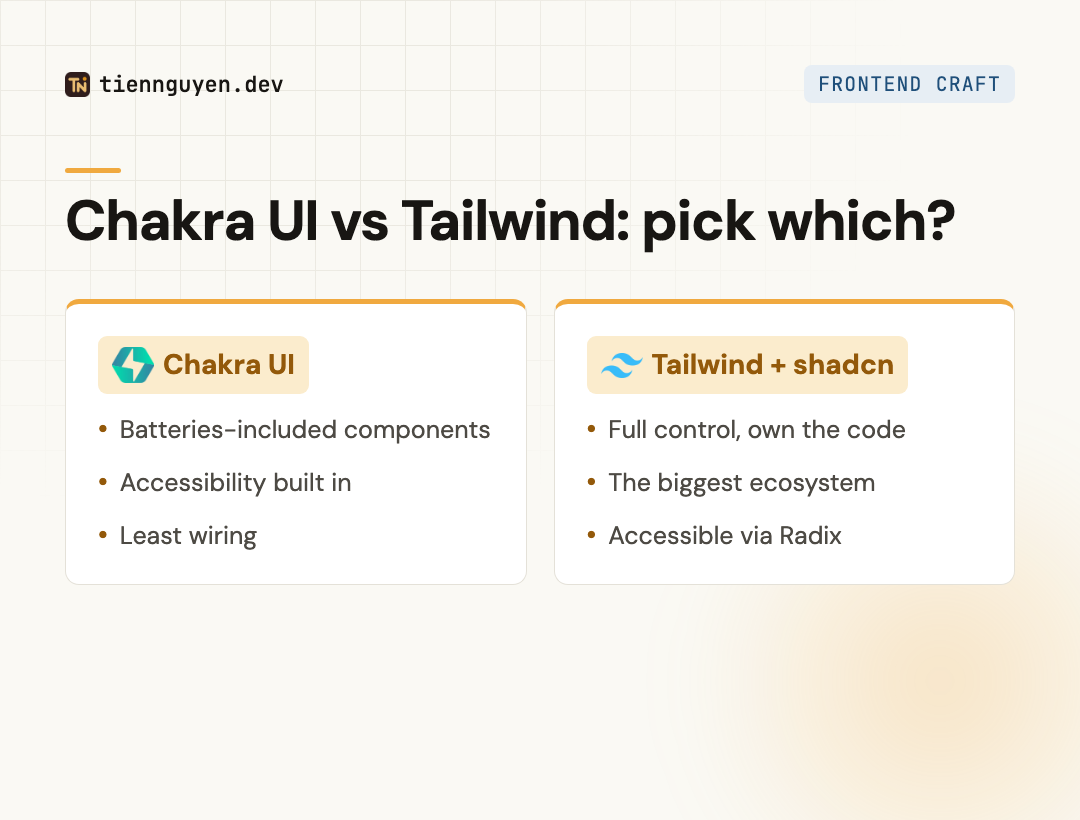
Pick Tailwind (+ shadcn/Radix) when:
- You want maximum control over markup and styling, and to own your component code outright.
- You want the biggest ecosystem, the most examples, and the most hireable skill.
- You’re comfortable assembling a component layer (shadcn makes this mostly copy-paste).
Pick Chakra UI when:
- You want accessible, styled components immediately, with the least wiring.
- You value a consistent, themeable design system out of the box over per-element control.
- Your team would rather configure components than build and maintain them.
Where each bites you: Tailwind’s cost is that raw utilities plus assembling components is more upfront work, and unstyled markup can sprawl without discipline. Chakra’s cost is a smaller ecosystem, a heavier runtime than utility CSS, and less granular control when you need to fight the component’s defaults.
Chakra UI vs Tailwind CSS at a glance
| Chakra UI | Tailwind CSS | |
|---|---|---|
| What it is | React component library | Utility-CSS framework |
| Ships components | Yes, styled + accessible | No, you build them |
| Accessibility | Built into components | You add it (Radix / Headless UI) |
| Styling model | Style props + recipes | Utility classes in markup |
| Its real peer | (it’s already the components) | Tailwind + shadcn/Radix |
| Current version | v3 (Ark UI + recipes) | v4 (CSS-first config) |
| Ecosystem / hiring | Smaller, niche | Huge, the default |
| Best for | Batteries-included, least wiring | Control + the biggest ecosystem |
So which should you use?
Chakra UI vs Tailwind CSS is really two questions stacked into one: which component system, and which styling approach. Chakra hands you accessible components; Tailwind hands you styling and lets you build the components (or copy them from shadcn). Once you see that, the “vs” mostly dissolves into a real choice: how much do you want done for you?
For most new projects in 2026, I’d start with Tailwind and shadcn/ui: the biggest ecosystem, full control, and accessible components you own. I’d reach for Chakra when I want batteries-included components fast and I’m happy to trade some control for a lot less wiring. If the component library you’re weighing is Material UI rather than Chakra, the same layer question plays out in Material UI vs Tailwind CSS. Both are good. Just compare the right things.
Frequently asked questions
What is the difference between Chakra UI and Tailwind CSS?
They solve different problems. Chakra UI is a React component library: it ships ready-made, styled, accessible components like Button, Dialog, and Menu. Tailwind CSS is a utility-CSS framework: it ships styling classes and no components at all, so you build the components yourself. Chakra gives you the parts; Tailwind gives you the paint. That's why comparing them straight up is a little apples-to-oranges.
Is Chakra UI still good in 2026?
Yes. Chakra v3 (a rewrite built on Ark UI primitives with a recipe-based styling system) is current and solid. Its pitch is unchanged: accessible, themeable components out of the box with minimal wiring. It's a smaller ecosystem than the Tailwind world, and less popular than it was, but if you want batteries-included React components without assembling your own kit, it's a good choice.
Does Chakra UI use Tailwind CSS?
No. This is a common mix-up, and it's the layer confusion in one question. Chakra has its own styling system (style props and recipes); it does not use Tailwind under the hood. You can technically add Tailwind on top of Chakra, but it's mostly redundant since Chakra already styles everything. The pairing that actually makes sense is Tailwind with a headless component library, not Tailwind with Chakra.
Can you use Chakra UI and Tailwind together?
Technically yes, but you usually shouldn't. Chakra already ships a full styling system, so layering Tailwind on top means two ways to style the same element and a bigger bundle for little gain. If you like Tailwind's utility approach and want components, the right combination isn't Chakra plus Tailwind, it's Tailwind plus a headless library like shadcn/ui (which is built on Radix). Pick one styling model and commit.
Is Tailwind better than Chakra UI?
They solve different problems, so 'better' isn't quite the right frame. For most new work in 2026, Tailwind plus a headless component library (shadcn/ui on Radix) is the more common and flexible choice, with a much bigger ecosystem. Chakra wins when you want accessible components immediately with the least setup and don't want to assemble your own component layer. Pick by how much you want done for you.
Keep reading
Tien Nguyen
· 9 min read
Material UI vs Tailwind CSS: what you inherit vs build
Material UI vs Tailwind CSS: MUI gives you Material Design plus an Emotion runtime; Tailwind compiles to zero-runtime CSS, at ~10x MUI's npm downloads.
Read article
Tien Nguyen
· 8 min read
Material UI vs Ant Design, and when to skip both
Material UI vs Ant Design is a design-language choice: Material vs Ant's enterprise density. The 2026 pick, the MUI X paywall, and when to skip both.
Read article
Tien Nguyen
· 7 min read
Is shadcn/ui worth it? The honest 2026 tradeoff
Is shadcn/ui worth it? You own the code: full control and no lock-in, but you maintain it. The honest tradeoff, the Base UI switch, and when to skip it.
Read articleLiked this? Let's build something.
I take on a small number of front end and AI-engineering projects, and I'm always up for talking shop. Tell me what you're working on.