
Material UI vs Tailwind CSS: what you inherit vs build

Tien Nguyen
· 9 min read
Material UI vs Tailwind CSS is the widest gap in the React styling world, so comparing them feature by feature misses the point. Material UI hands you Google’s entire Material Design language plus an Emotion styling runtime, wholesale. Tailwind hands you utility classes that compile to static CSS and nothing else. One is the most you can inherit; the other is the least. The real question is not which has more features. It is how much you want to inherit versus build, and what that inheritance costs you.
So the answer up front: pick Material UI when Material Design fits and you want a huge component set handed to you fast. Pick Tailwind when you want your own design and the lowest runtime cost, and you will add your own components (or a headless library). For context: I build on Tailwind day to day, including this site, and I have worked with Material UI, so this is a lived-in take on Tailwind and an informed one on Material UI. This is the heaviest-library version of the Chakra UI vs Tailwind CSS question, and the tradeoff is sharper because Material UI inherits more.
 vs
vs
They aren’t the same kind of tool, and Material UI is the extreme
Every comparison opens with “they’re different things,” so let me say it once and move on: Material UI is a component library, Tailwind is a styling method. MUI gives you finished, themeable React components (Button, DataGrid, Dialog) that implement Material Design. Tailwind gives you utility classes (px-4, shadow-md, rounded-xl) and no components at all.
What makes Material UI the interesting end of this comparison is that it is the maximalist choice. It is not just a set of components. It is a whole design language (Material Design), a theming system, and a styling runtime, all adopted together. Tailwind is the minimalist opposite: no components, no design opinion, no runtime. So this isn’t a close matchup of similar tools. It is the two ends of the spectrum, and the gap between them is where the real decision lives.
What’s the real difference? A runtime you inherit vs CSS you compile
Here is the part almost no comparison explains, and it is the one that actually shows up in your bundle and your render times.
Material UI styles with Emotion, a CSS-in-JS engine. Your styles are JavaScript objects, and Emotion generates and injects the actual CSS as your components render. That means shipping a styling runtime to the browser and doing style work at render time:
import { styled } from '@mui/material/styles';
const Card = styled('div')(({ theme }) => ({  borderRadius: 12,  padding: theme.spacing(3),  boxShadow: theme.shadows[2],}));
Tailwind compiles the other direction. Your utility classes are read at build time and turned into one static CSS file. The browser just loads CSS; there is no JavaScript styling runtime at all:
<div className="rounded-xl p-6 shadow-md"> <h3 className="font-semibold">Invoice #1024</h3> <p className="mt-1 text-gray-600">Due in 5 days</p></div>Same visual result, opposite mechanism. MUI’s runtime buys you dynamic, theme-aware, prop-driven styling with almost no ceremony. It costs JavaScript in the bundle and work on every render. Tailwind’s compiled model costs you the verbosity of utility classes in your markup, and buys you zero styling runtime. For a heavy, interactive UI, that shows up as slower renders and a larger JS bundle, not just a stylistic preference. (Material UI is developing a zero-runtime option, Pigment CSS, but it is experimental and not the default in v9.)
The scale gap tells the same story from the outside: as of mid-2026, Tailwind pulls around 118 million weekly npm downloads to Material UI’s roughly 9 million. MUI is one of the most-used React component libraries, and Tailwind still dwarfs it more than tenfold.
Material Design lock-in vs a blank canvas
The other half of “inheritance” is the look. A Material UI app looks like Material Design: the elevation, the ripples, the type scale, the spacing. That is the point when Material Design is what you want, and a tax when it is not. You can theme MUI, but you are theming away from a strong default, and past a certain point you are fighting the library to stop it looking like Google.
Tailwind has no design language at all. It is a blank canvas: total control, and total responsibility. Nothing looks like anything until you make it, which is freedom if you have a design and a burden if you do not. This is the cleaner way to see the choice: Material UI is inheriting a design opinion; Tailwind is being handed a paintbrush and no painting.
That is also why Tailwind rarely travels alone. Teams pair it with a headless component layer (most often shadcn/ui) so they get accessible behavior without a design language attached. I go deep on that in is shadcn/ui worth it; the short version is that Tailwind plus shadcn is the “build your own design system” answer, and Material UI is the “adopt Google’s” answer.
Is Material UI free? The MUI X paywall
One concrete decision factor that the ranking articles skip entirely: Material UI’s advanced components are not all free. The core components are open-source and MIT-licensed. But the advanced data grid and date pickers live in MUI X, whose Pro and Premium tiers require a paid commercial license, for features like row grouping and Excel export.
Tailwind is MIT and free, but it ships no components, so “free” means you build or buy them elsewhere. So the honest money comparison is: MUI can cost a license fee for its best data components; Tailwind costs you the time to assemble components (or a one-time template purchase). If you are building a data-heavy admin, price the MUI X license before you commit. It is the same tradeoff I break down for two component libraries in Material UI vs Ant Design.
Which one should you reach for?
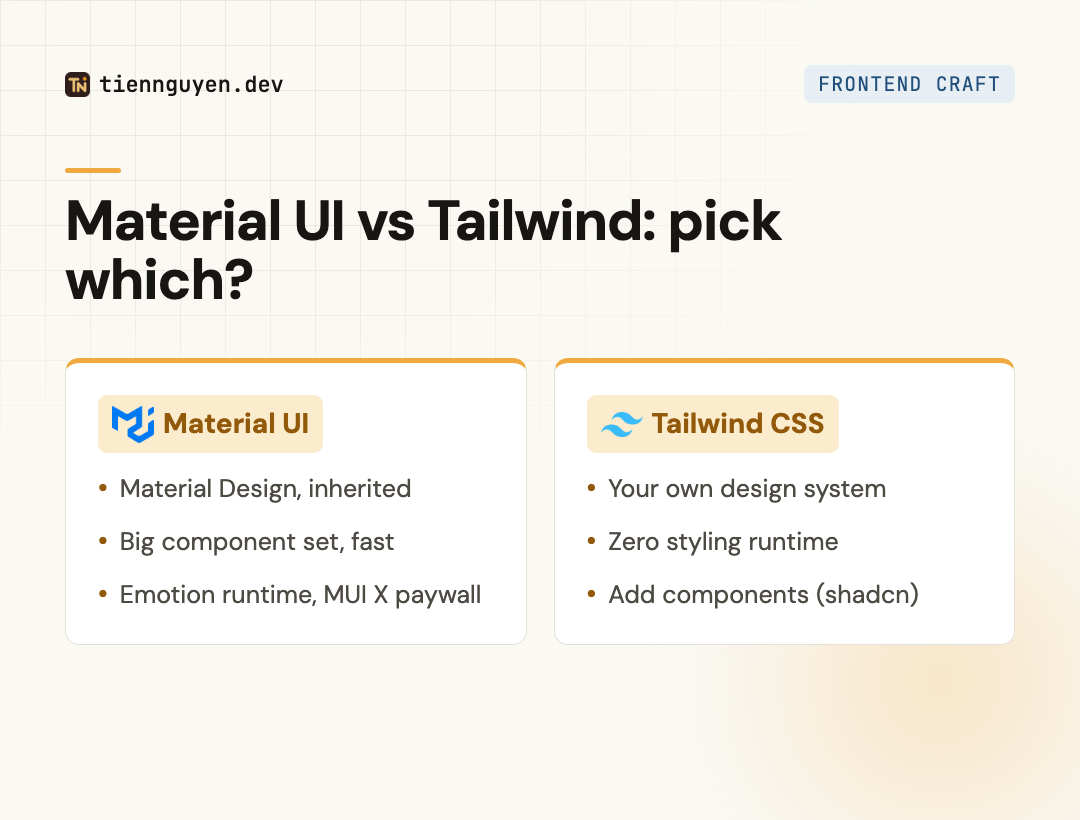
Pick Material UI when:
- Material Design is acceptable (or exactly what you want), especially for dashboards and internal tools.
- You want a large, accessible component set handed to you and value speed over a custom look.
- You are fine shipping an Emotion runtime, and fine licensing MUI X if you need the advanced grid.
Pick Tailwind when:
- You want your own design system with full control over every element.
- You care about the lowest runtime cost (compiled CSS, no styling runtime).
- You will bring your own components, usually via a headless library like shadcn/ui.
Material UI vs Tailwind CSS at a glance
| Material UI | Tailwind CSS | |
|---|---|---|
| What it is | Component library (Material Design) | Utility-first styling method |
| Components | Large built-in set | None (bring your own) |
| Design language | Material Design, inherited | None, you design it |
| Styling | Emotion CSS-in-JS (runtime) | Compiled static CSS (zero runtime) |
| Version | v9 | v4 |
| Cost | MIT core; MUI X grid is paid | MIT, free |
| Best for | Ship Material fast | Own your design, minimal runtime |
The takeaway
Material UI vs Tailwind CSS comes down to inheritance. Material UI hands you a complete design language and a styling runtime, so you move fast if Material Design fits and you accept the runtime and the look. Tailwind hands you compiled utility classes and nothing else, so you own your design with zero styling runtime, and you build (or borrow) the components yourself.
Pick Material UI to inherit Google’s design system and ship. Pick Tailwind to build your own with the lightest possible runtime. The heavier the app and the more your design has to be yours, the more the zero-runtime blank canvas is worth the extra assembly.
Frequently asked questions
Is Tailwind CSS better than Material UI?
Neither is better in general; they solve different problems. Tailwind is better when you want your own design and the lowest runtime cost, because it compiles to static CSS with no JavaScript styling runtime. Material UI is better when Material Design fits and you want a huge component set handed to you, and you accept its Emotion runtime and its look. Pick by whether you want to inherit a design system or build one.
Is Material UI still used in 2026?
Yes, heavily. Material UI is one of the most-downloaded React component libraries, around 9 million npm downloads a week, and it is on its v9 release. It is a safe, mainstream choice for dashboards and internal tools where Material Design is acceptable. It is not fading; the shift is that teams who want a custom design system increasingly reach for Tailwind plus a headless component layer instead, because they do not want to inherit Material's look or its runtime.
Can you use Material UI with Tailwind CSS together?
You can, and MUI publishes an official guide for it, but most teams should not. Material UI already ships its own Emotion styling engine, so adding Tailwind means running two styling systems at once, which creates specificity and class-ordering conflicts you have to manage by hand. It is usually cleaner to pick one. If you are on Material UI, use its sx prop and theme; if you are on Tailwind, use a headless component library, not MUI.
Is Tailwind CSS outdated?
No, the opposite. Tailwind v4 shipped in January 2025 with a new Rust-based engine, configuration in CSS, and much faster builds. It has around 118 million npm downloads a week, more than ten times Material UI, and it is the default styling choice for a large share of new React and Next.js projects. The perception that utility classes are messy is a style preference, not a sign the tool is behind.
Does Material UI or Tailwind have better performance?
Tailwind has the lighter runtime story. It compiles your utility classes to a static CSS file at build time, so the browser just loads CSS with no JavaScript styling work at render. Material UI styles with Emotion, a CSS-in-JS engine that generates and injects styles as components render, which adds JavaScript to the bundle and work at runtime. For a heavy, interactive UI that difference is measurable. Material UI is developing a zero-runtime option (Pigment CSS), but it is experimental and not the default.
Keep reading
Tien Nguyen
· 7 min read
Chakra UI vs Tailwind CSS: they're not the same layer
Chakra UI vs Tailwind CSS compares a component library to a styling method. The real 2026 choice, accessibility, Tailwind v4, and when to pick each.
Read article
Tien Nguyen
· 8 min read
Material UI vs Ant Design, and when to skip both
Material UI vs Ant Design is a design-language choice: Material vs Ant's enterprise density. The 2026 pick, the MUI X paywall, and when to skip both.
Read article
Tien Nguyen
· 7 min read
Is shadcn/ui worth it? The honest 2026 tradeoff
Is shadcn/ui worth it? You own the code: full control and no lock-in, but you maintain it. The honest tradeoff, the Base UI switch, and when to skip it.
Read articleLiked this? Let's build something.
I take on a small number of front end and AI-engineering projects, and I'm always up for talking shop. Tell me what you're working on.