
Material UI vs Ant Design, and when to skip both

Tien Nguyen
· 8 min read
Here’s the honest way to read “Material UI vs Ant Design”: the real decision is which design language you’re willing to live inside, not which feature set checks more boxes. Both are large, mature React component libraries. The features overlap enough that a checklist won’t decide it. What actually differs is the look, the defaults, and how hard each fights back when you want something else.
So the answer up front: pick Material UI for consumer or branded products where Material Design fits and you want deep theming. Pick Ant Design for enterprise, data-dense, admin-style apps where its batteries-included components save you weeks. And if you don’t want either design language, skip both and reach for Tailwind + a headless library. For context: I’ve shipped production React on component libraries, and I’ve weighed both of these closely, especially for the data-dense internal tools where the table component alone can swing the decision. So treat this as an informed read of the tradeoff.
 vs
vs
Aren’t they basically the same? It’s the design language
On paper they look interchangeable: both give you buttons, forms, tables, modals, and a theming system, in React, with TypeScript, and their component APIs are nearly identical. The API is barely the point. What differs is how the components look and what they assume about your product. Material UI implements Google’s Material Design: elevation, ripples, a consumer-friendly aesthetic that reads modern and brandable. Ant Design carries its own enterprise design language, tuned for dense, information-heavy business apps.
That look is the real commitment. You can theme both, but you’ll feel the grain of the wood. A Material UI app that’s been fought hard enough to not look like Material Design is a common, telling sight, and so is an Ant Design app whose spacing quietly betrays that it’s Ant underneath. Choosing between them is mostly choosing which design language you’re happy to accept, because that’s the one thing you can’t cheaply swap.
Which decision-drivers actually matter?
Past the aesthetics, a few concrete things move the needle more than any feature list.
The data grid, and who pays for it. This one alone decides many data-heavy apps. Ant Design’s Table is free and full-featured (sorting, filtering, virtual scrolling) as part of the MIT-licensed library. Material UI’s basic DataGrid is free too. But its advanced grid features (column pinning in Pro, row grouping and Excel export in Premium) require a paid MUI X commercial license. If you’re building dashboards on big tables, “free and excellent” versus “pay to unlock” is a real budget line, and it favors Ant.
Batteries included, or bring your own. Ant ships a genuinely large enterprise set out of the box, including a Form with built-in, rules-based validation:
<Form onFinish={handleSubmit}> <Form.Item name="email" rules={[{ required: true, type: 'email' }]}> <Input /> </Form.Item></Form>Material UI ships no form-state manager, so the same validated field means wiring in React Hook Form yourself (the control here comes from RHF’s useForm()):
<Controller name="email" control={control} rules={{ required: true }} render={({ field, fieldState }) => ( <TextField {...field} label="Email" error={!!fieldState.error} /> )}/>Same outcome, more wiring. (Reach for RHF’s Controller here, not a bare register spread: MUI forwards the ref to its root element rather than the input, so error-focus misbehaves otherwise.) For a data-entry-heavy admin, Ant’s built-ins save real time; for a leaner UI, MUI’s smaller footprint is an advantage.
Where each is in 2026. Most comparison articles you’ll find are stale here, so: Material UI is on v9. It still styles with Emotion (the sx prop and styled()) by default; its zero-runtime option, Pigment CSS, is experimental and opt-in, not the default yet. Ant Design is on v6, and since v5 it uses its own CSS-in-JS engine with design tokens for theming. If a guide tells you Ant styles with Less, it’s out of date.
Customization. Material UI is the more themeable of the two: its token and sx system bends further before it breaks. Ant is more opinionated, which is a feature when its defaults fit you and a tax when they don’t.
When should you skip both? Tailwind + shadcn
Most Material UI vs Ant Design comparisons stop at two options. Here’s the third, and it’s increasingly the right one: don’t adopt either design language.
Both Material UI and Ant Design hand you a full, opinionated look. That’s a gift when it fits and a fight when you need your own design system. If what you actually want is components that look exactly like your brand, with full control over every pixel, the modern move is Tailwind CSS plus a headless component library like shadcn/ui (copy-paste components on Radix primitives), skipping the MUI-or-Ant design-language decision entirely. You own the code and the look; the library supplies the accessibility and behavior. I go deep on that tradeoff in Chakra UI vs Tailwind CSS, and the same logic applies here: a heavy opinionated library is a shortcut, not a requirement.
So the real 2026 shortlist is three options, not two: Material UI, Ant Design, or neither.
When should you pick each?
No diplomatic “it depends” here. This is how I’d actually decide, fast.
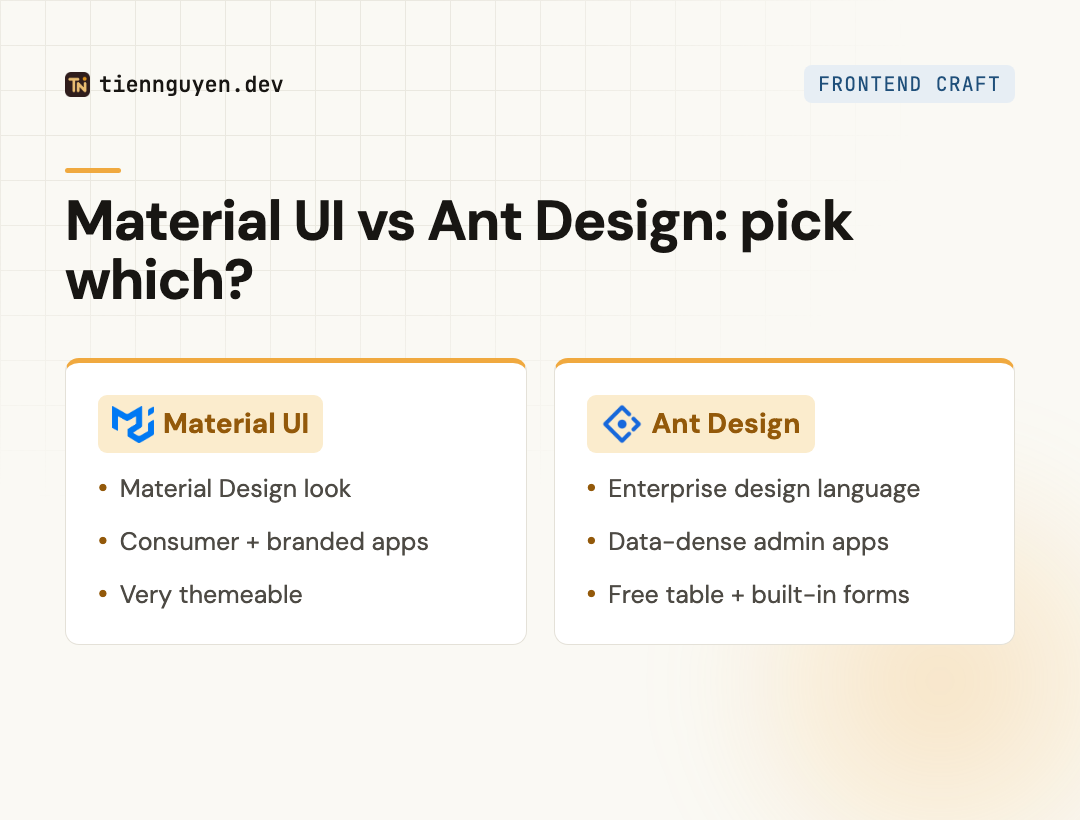
Pick Material UI when:
- You’re building a consumer or branded product and Material Design suits it (or you’ll theme heavily).
- You want the more customizable of the two and a large, familiar ecosystem.
- You don’t need the paid advanced data grid, or you’re fine licensing MUI X.
Pick Ant Design when:
- You’re building an enterprise, admin, or data-dense app and its look fits.
- You want a huge built-in component set, especially a free, powerful table and forms with validation.
- You’d rather accept strong defaults than assemble and maintain your own components.
Skip both (Tailwind + shadcn) when:
- You want your own design system and full control over the look.
- You’d rather own your component code than adopt someone else’s design language.
Material UI vs Ant Design at a glance
| Material UI | Ant Design | |
|---|---|---|
| Design language | Material Design (Google) | Ant’s enterprise design |
| Best fit | Consumer, branded, themeable | Enterprise, data-dense admin |
| Current version | v9 | v6 |
| Styling | Emotion CSS-in-JS + sx | CSS-in-JS + design tokens |
| Data grid / table | Advanced grid is paid (MUI X) | Table free, full-featured |
| Forms | Bring your own (React Hook Form) | Built-in Form + validation |
| Customization | High, very themeable | Opinionated, harder to restyle |
| If neither fits | Tailwind + shadcn for your own design | Tailwind + shadcn for your own design |
The takeaway
Material UI vs Ant Design comes down to a design language, not a feature war. Material UI is the themeable, consumer-friendly choice with a paid escape hatch for advanced grids. Ant Design is the batteries-included, enterprise-data choice with a free, excellent table and a stronger opinion about how things should look.
Pick Material UI for branded and consumer apps, Ant Design for data-dense enterprise ones, and remember the third option: if neither design language is yours, skip both and build it your way with Tailwind and shadcn. If it’s Material UI specifically you’re weighing against that approach, I compare them head to head in Material UI vs Tailwind CSS. The best component library is sometimes the one you don’t adopt.
Frequently asked questions
What are the disadvantages of Ant Design?
Its biggest cost is its design language. Ant has a strong, opinionated enterprise look, and fighting it to match a custom brand is real work. It also skews data-dense and business-app flavored, which can feel heavy for a consumer product. And while its component set is huge, that breadth means a larger surface to learn and a heavier bundle than a minimal setup.
What are the disadvantages of Material UI?
Two stand out. First, its advanced data grid is paywalled: the basic grid is free, but Pro and Premium features (like row grouping and Excel export) need a commercial MUI X license, which matters for data-heavy apps. Second, it ships no form-state or validation manager, so you usually pair it with React Hook Form. Its Emotion-based runtime styling also adds some cost versus utility CSS.
What's the difference between Material Design and Material UI?
Material Design is Google's design system: a spec of principles, components, and guidelines. Material UI (MUI) is a React component library that implements that spec so you can use it in code. One is the design language; the other is the React implementation of it. You can follow Material Design without MUI, and you can theme MUI so heavily it stops looking like Material Design at all.
Is Ant Design Chinese?
Yes, in origin. Ant Design comes out of Ant Group (Alibaba's fintech affiliate) and is widely used across the Chinese tech ecosystem, which is part of why its default look leans enterprise and data-dense. It's fully open-source (MIT), documented in English, and used globally. Its origin doesn't limit where you can use it; it just shaped the design language.
Should I use Material UI or Tailwind?
Different tools. Material UI hands you ready-made, themeable components. Tailwind hands you utility classes and no components, so you build (or copy) your own. Pick Material UI when you want components out of the box and Material Design fits. Pick Tailwind (plus a headless library like shadcn/ui) when you want your own design system and full control. It's the same batteries-included-vs-build-your-own choice underneath.
Keep reading
Tien Nguyen
· 9 min read
Material UI vs Tailwind CSS: what you inherit vs build
Material UI vs Tailwind CSS: MUI gives you Material Design plus an Emotion runtime; Tailwind compiles to zero-runtime CSS, at ~10x MUI's npm downloads.
Read article
Tien Nguyen
· 7 min read
Chakra UI vs Tailwind CSS: they're not the same layer
Chakra UI vs Tailwind CSS compares a component library to a styling method. The real 2026 choice, accessibility, Tailwind v4, and when to pick each.
Read article
Tien Nguyen
· 7 min read
Is shadcn/ui worth it? The honest 2026 tradeoff
Is shadcn/ui worth it? You own the code: full control and no lock-in, but you maintain it. The honest tradeoff, the Base UI switch, and when to skip it.
Read articleLiked this? Let's build something.
I take on a small number of front end and AI-engineering projects, and I'm always up for talking shop. Tell me what you're working on.